Case Study
From Register Books to One Screen: Building ClassTablet for Bangladesh's Classrooms
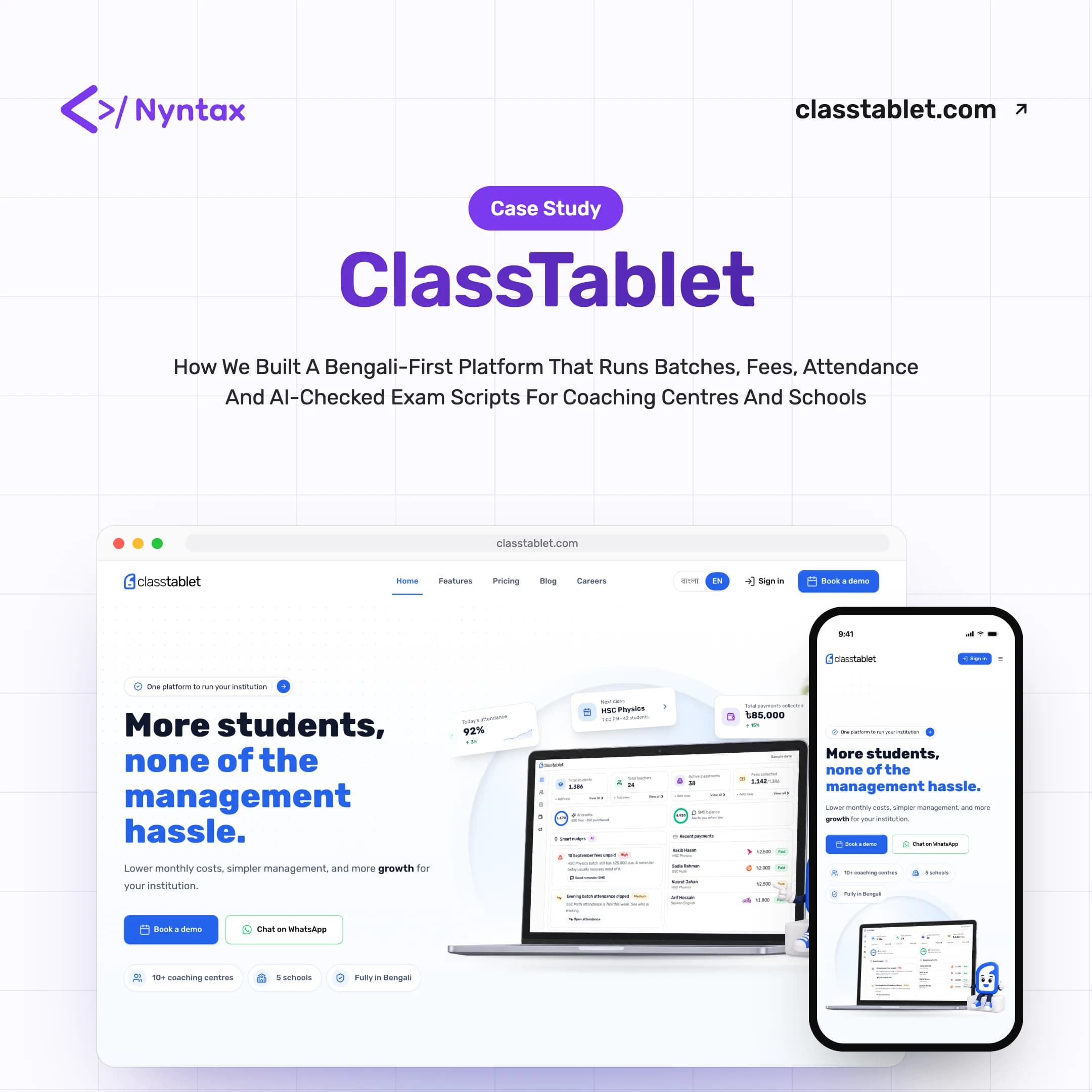
How we designed and engineered a Bengali-first platform that runs batches, fees, attendance and AI-checked exam scripts for coaching centres and schools, all in one place
- Client
- ClassTablet
- Year
- Service
- Product Strategy, UI/UX Design, Full-Stack Development, AI Engineering
Executive Summary
One platform, every batch: a classroom OS built for Bangladesh
ClassTablet is Nyntax's own product: an edtech platform for the Bangladeshi market that connects teachers, students, guardians and institutions in one system. Coaching centres were running on register books, spreadsheets, WhatsApp screenshots and a separate app for every job. We set out to replace that whole stack with a single, Bengali-first platform, and to let AI agents take on the routine work while teachers keep every decision.
- Started: February 2026
- Core Team: 3 specialists
- Product: In-house, by Nyntax
- Market: Bangladesh
- Industry: Education Technology
- Status: Live & in active development
What We Put Into It
- Product Strategy
- UX Research
- UI/UX Design
- Design System
- Full-Stack Development
- AI Engineering
- Payments Integration
- Bengali & English Localisation
- Cloud Infrastructure & DevOps
- Testing & Quality Assurance
Where the Month Fell Apart
Talk to coaching centre owners and the same story repeats: finding which batch eats the day, the same students in several registers, and schedule changes that never reach everyone in time. Growth stalled not for lack of students, but under the weight of running them.
- Register-Book Administration
- Attendance, admissions and dues lived in paper registers and spreadsheets. The same student sat in several of them, and none of them agreed.
- Fees Chased by Screenshot
- Payments arrived by bKash, Nagad, Rocket and cash, then got matched by hand against WhatsApp screenshots at the end of every month.
- Notices That Never Land
- A class moved in a group chat rarely reached every student and guardian in time, so absences and confusion followed every schedule change.
- Software Built for Someone Else
- Most tools assumed an English interface and foreign payment rails, leaving Bangladeshi teachers to translate their own software and work around it.
- Evenings Lost to Exam Scripts
- Checking handwritten scripts takes hours, and keeping marks consistent across a large batch is hard when every script is read by hand.
- One Portal, Many Brands
- Schools wanted their own name, colours and domain on the portal their students log in to, not a generic third-party product.
“Adding a batch should drive growth, not chaos.”
Project Overview
ClassTablet serves three kinds of customer: coaching centres running many batches, independent tutors, and schools and colleges that need a portal under their own brand. Underneath, it is a multi-tenant platform with student, teacher, guardian and admin roles, white-label portals on custom domains, and a model where teachers and institutions subscribe to ClassTablet while charging their students directly.
Because ClassTablet is our own product, we own the roadmap as well as the code. Every capability is catalogued in a single feature taxonomy, and the public feature pages are generated from it, so the product and the website always describe the same thing.
Key Stakeholders
- Primary Users: Coaching centres, their owners and their teachers
- Secondary Users: Students and guardians who follow classes, fees and results
- Tertiary Users: Schools and colleges that run ClassTablet under their own brand
Built Like an Operating System, Not an App
Instead of another tool to juggle, we built the place an institution runs from. Each layer replaced something people were already doing by hand.
One Home for Every Batch
One Home for Every Batch
A batch is the unit a Bangladeshi coaching centre thinks in, so we made it the unit the product is built around. Each one keeps its own classes, students, routine and notice board.
- Batches & Sections
- Excel & CSV Import
- Weekly Routines
- Roles & Permissions
Money Without the Month-End Panic
Money Without the Month-End Panic
Fees run on a schedule instead of a spreadsheet. A bill is raised for every student on the 1st, reminders go out on the 15th, and overdue notices follow on the 5th.
- Automatic Monthly Bills
- bKash, Nagad & Rocket
- Teacher-Approved Payments
- Invoices & Receipts
AI That Proposes, Teachers Decide
AI That Proposes, Teachers Decide
AI agents draft the slow work: marks for handwritten scripts, grading suggestions and class notes. A teacher reviews and approves every result, and usage is metered in credits.
- Handwritten Script Checking
- Rubrics From Answer Keys
- AI Class Notes
- Credit-Based Metering
Bengali First, Everywhere
Bengali First, Everywhere
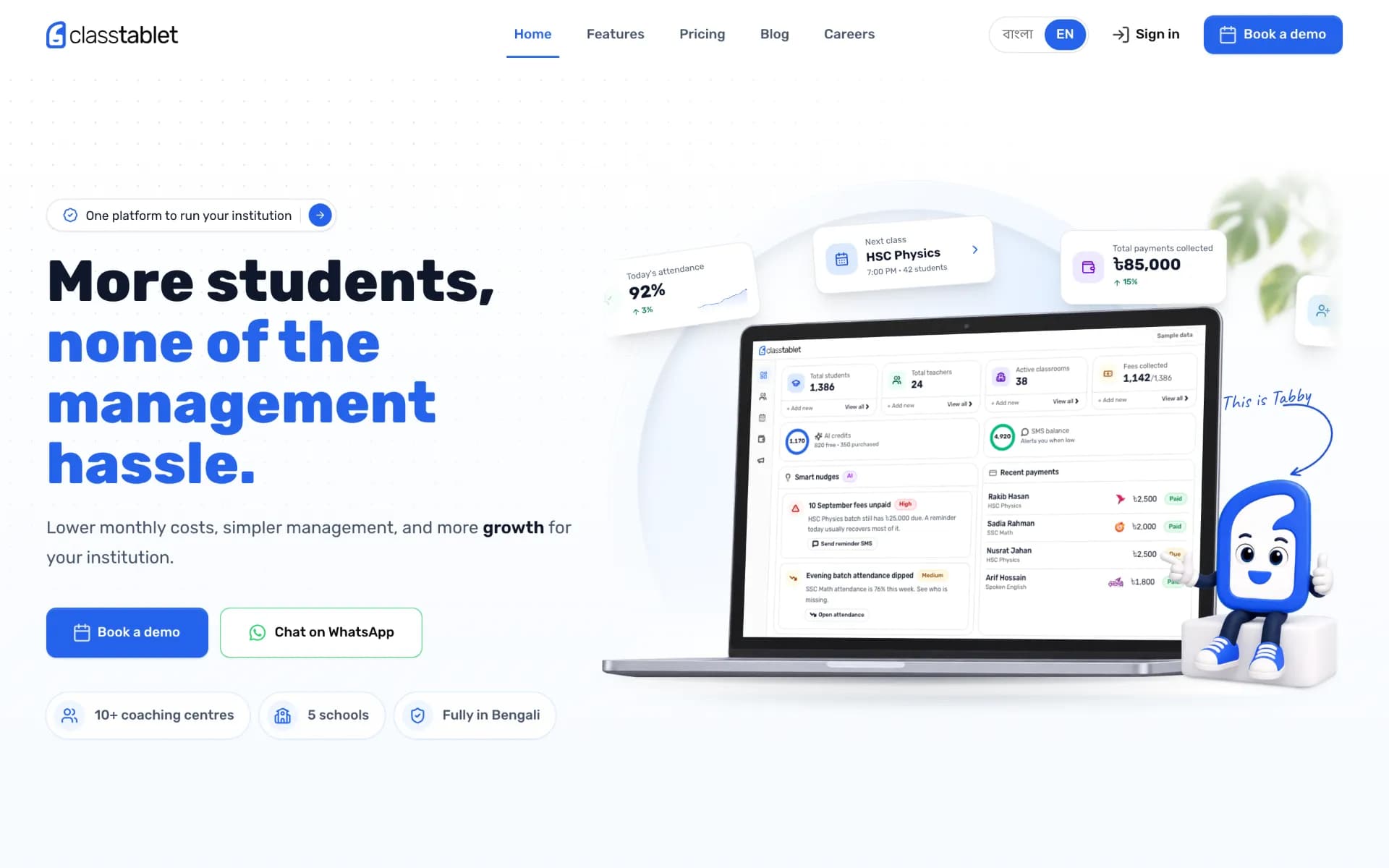
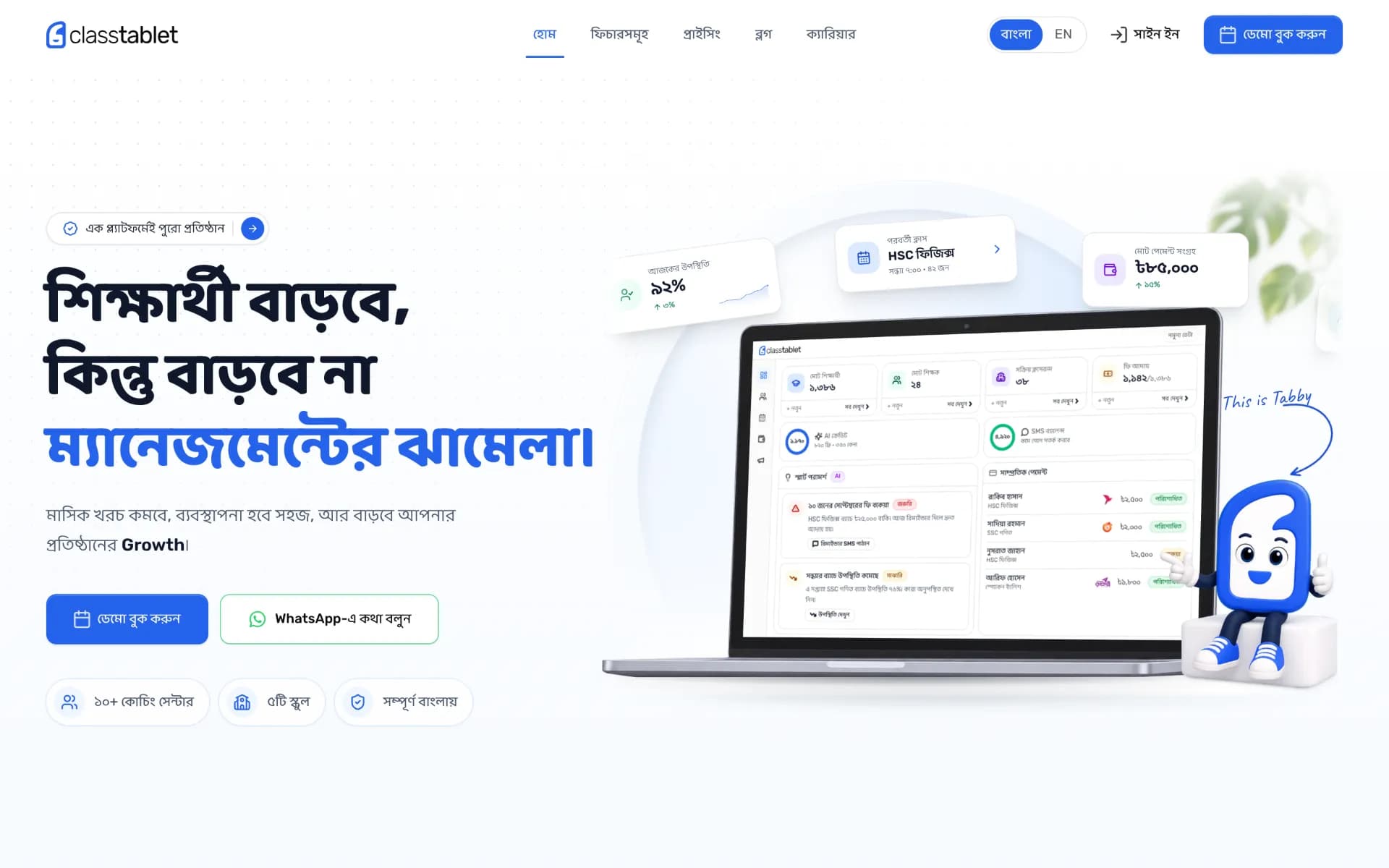
Every route exists in Bangla and English, Bangla text gets its own typeface, and messages reach guardians through local SMS and WhatsApp instead of email alone.
- Bilingual Interface
- Bangla Type Pairing
- SMS & WhatsApp Reach
- White-Label Portals
Technology Behind the Platform
A Turborepo monorepo keeps the marketing site, the dashboard and the API on one design system and one set of shared contracts, with a NestJS API doing the heavy lifting behind them.
Frontend & Experience
Next.js
TypeScript
Tailwind CSS
TanStack Query
Motion
Backend & Data
NestJS
Fastify
PostgreSQL
Drizzle ORM
Redis & BullMQ
AI
OpenAI
Google Gemini
Infrastructure & Operations
AWS
Docker
GitHub Actions
Turborepo
pnpm
Sentry
PostHog
Design System
Built on ClassTablet Blue and Rubik, with Baloo Da 2 stepping in for every Bangla glyph. The result reads as one brand in both languages: clear, friendly and calm enough for a dashboard people open every day.
Color Palette
Brand Colors
ClassTablet Blue
Primary
Logo mark, primary buttons, links and highlighted words
#2563EBrgb(37, 99, 235)Blue Wash
Surface
Section backgrounds and feature cards
#F7FAFFrgb(247, 250, 255)Neutral Colors
Ink
Text Primary
Headlines and body text
#0A0A0Argb(10, 10, 10)Graphite
Text Secondary
Descriptions and supporting copy
#5C5C5Crgb(92, 92, 92)Zinc 200
Border
Card outlines and dividers
#E4E4E7rgb(228, 228, 231)Typography
Aa
Rubik
Latin UI & HeadingsMore students, none of the management hassle.
অআ
Baloo Da 2
Bangla Textশিক্ষার্থী বাড়বে, কিন্তু বাড়বে না ম্যানেজমেন্টের ঝামেলা।
ClassTablet by the Numbers
The scale of what we built, counted from the product itself.
- 0
Atomic features catalogued in the product taxonomy
- 0
Capabilities across 12 feature groups
- 0
AI-agent features where AI drafts and a teacher approves
- 0
Automations that run on a schedule or event
- 100+
Database tables behind the platform
- 10+
Coaching centres on ClassTablet, alongside 5 schools
- 1,800+
Commits since February 2026
Feature counts from the ClassTablet feature taxonomy and codebase as of October 2026. Customer counts as published on classtablet.com.
Bengali First, English Ready
The same page in both languages. Drag the slider to switch between the Bangla home page and its English twin.
Project Screenshots
A tour of the public ClassTablet experience, from the home page to the feature pages and pricing. Click any image to view it full screen.
Landing Page
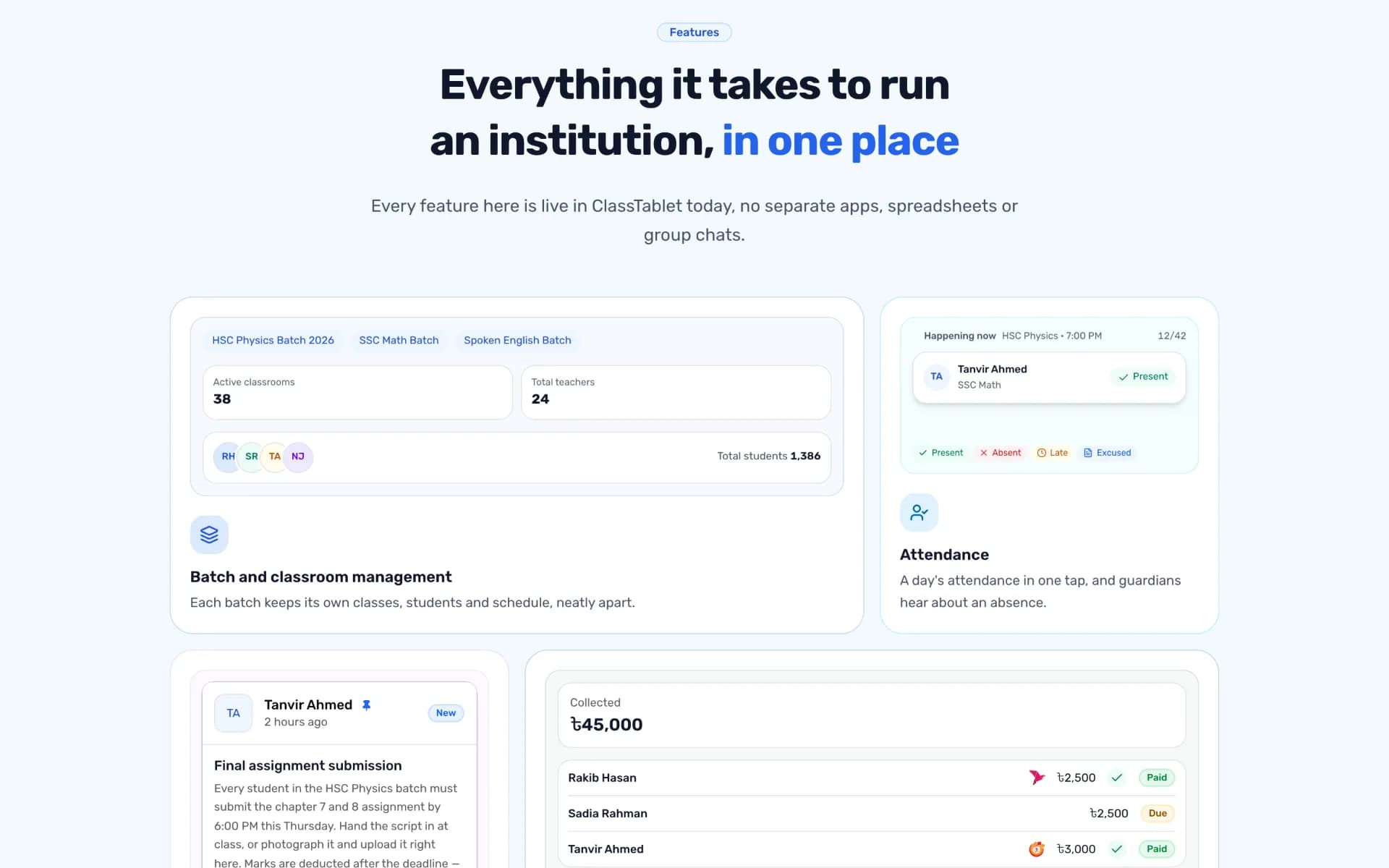
Everything in One Place
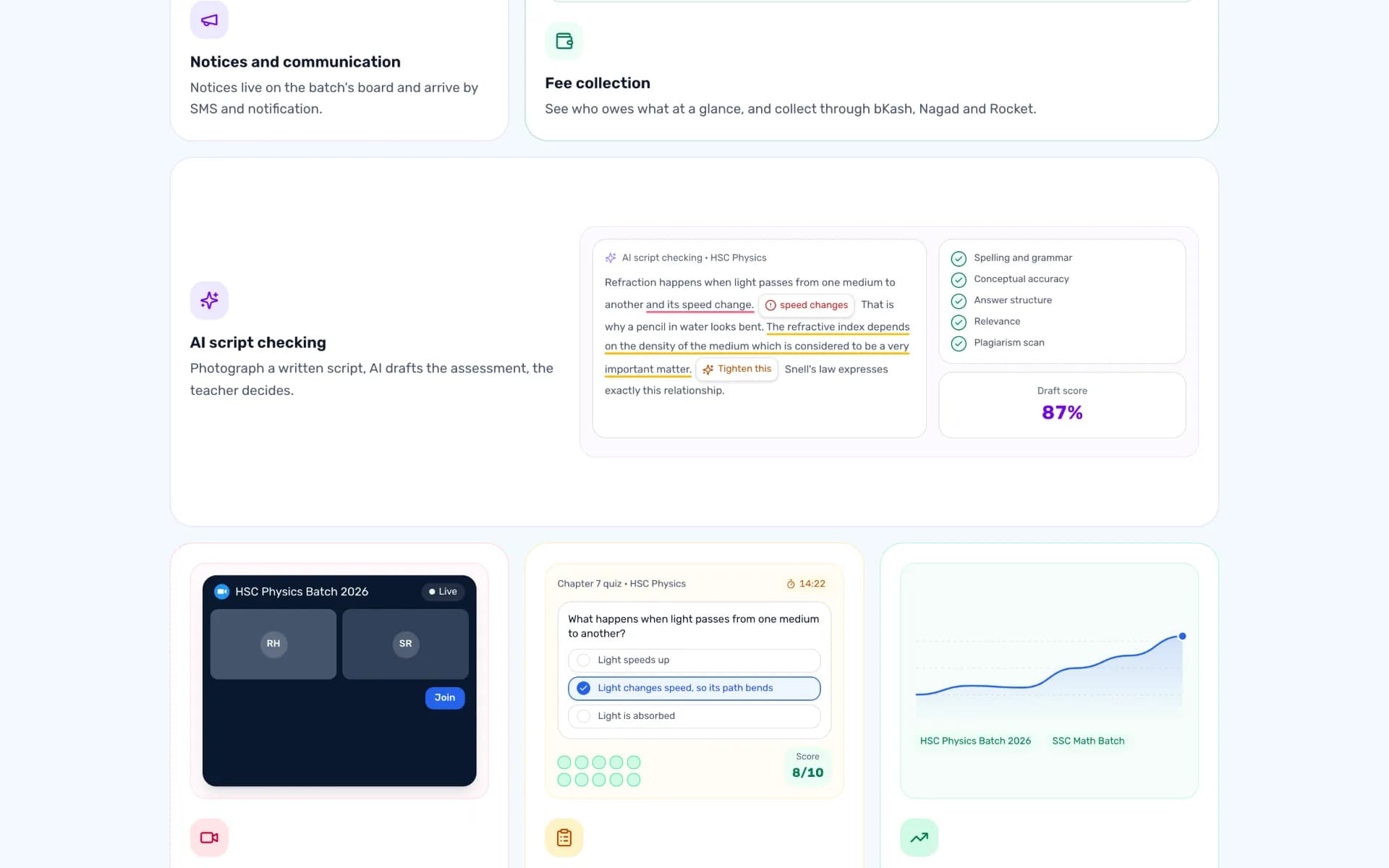
AI Script Checking
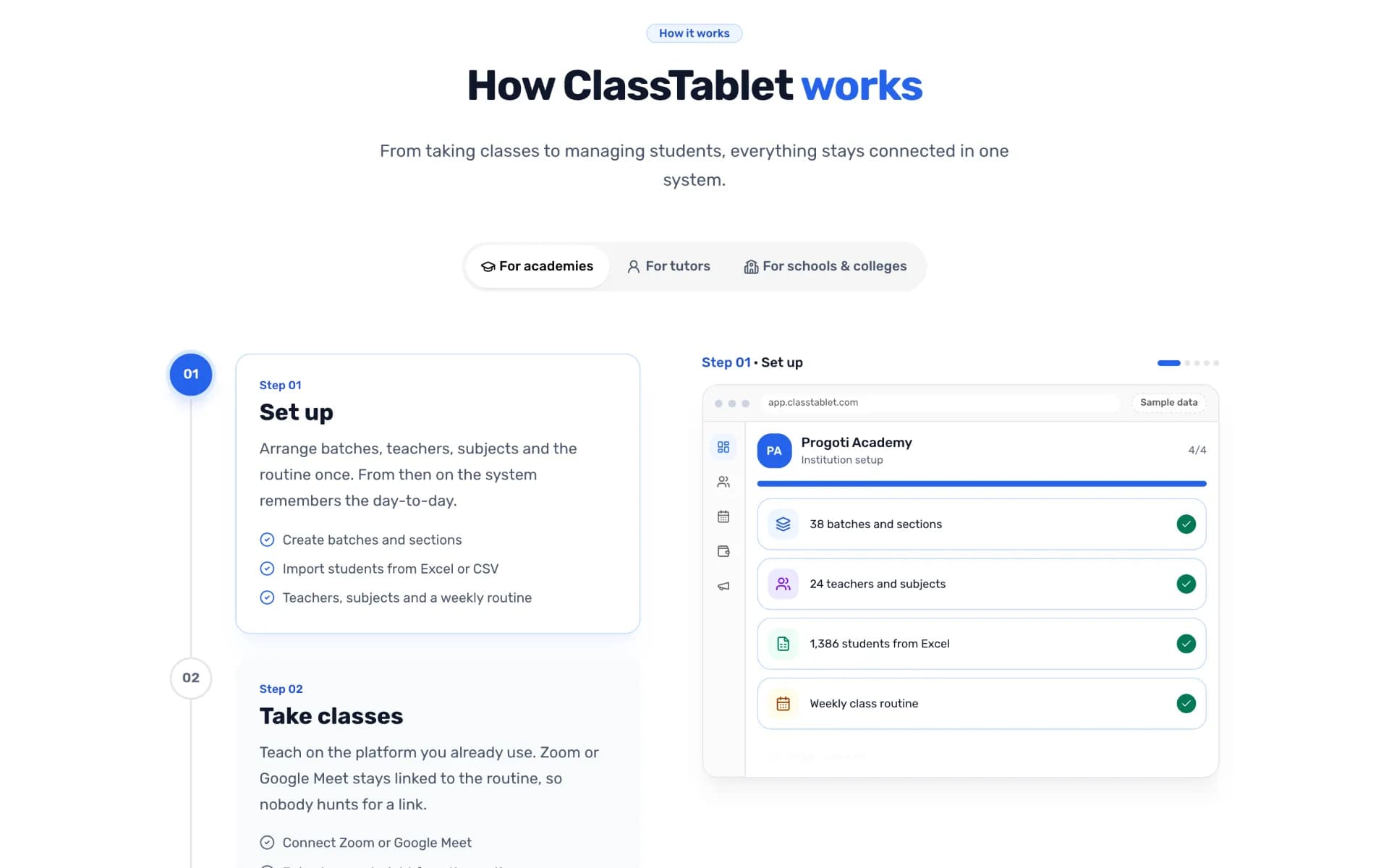
How It Works
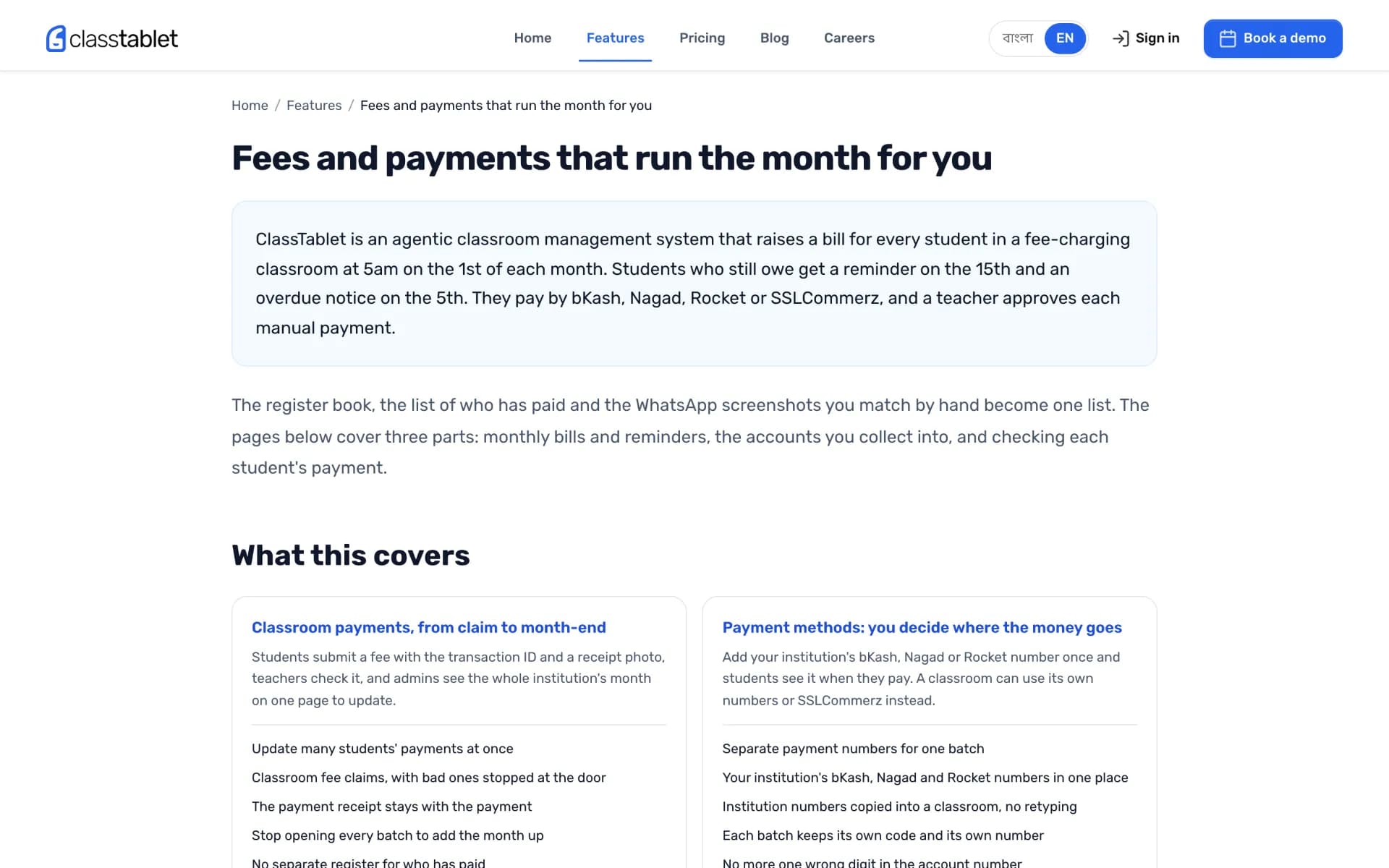
Fees & Payments
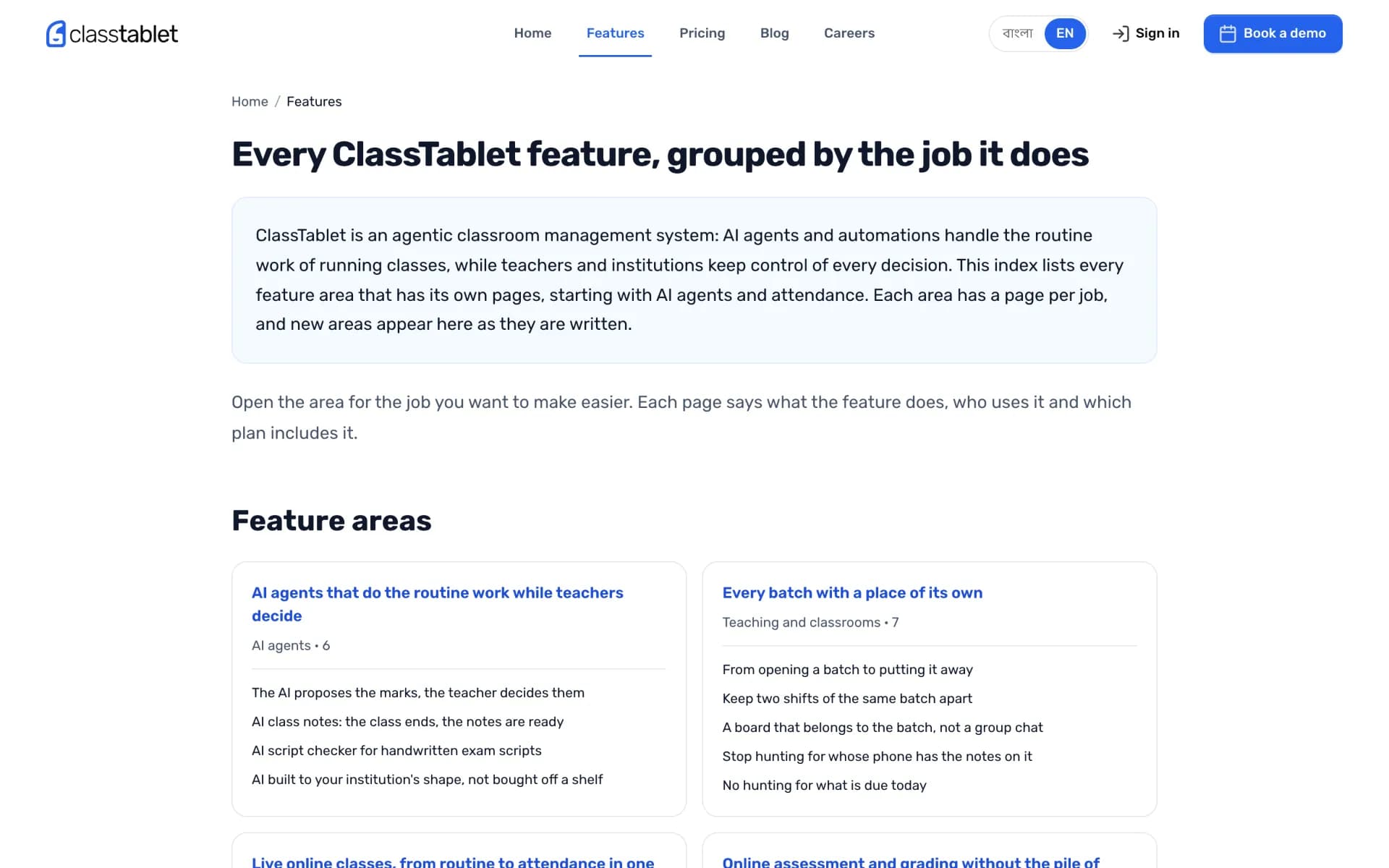
Feature Index
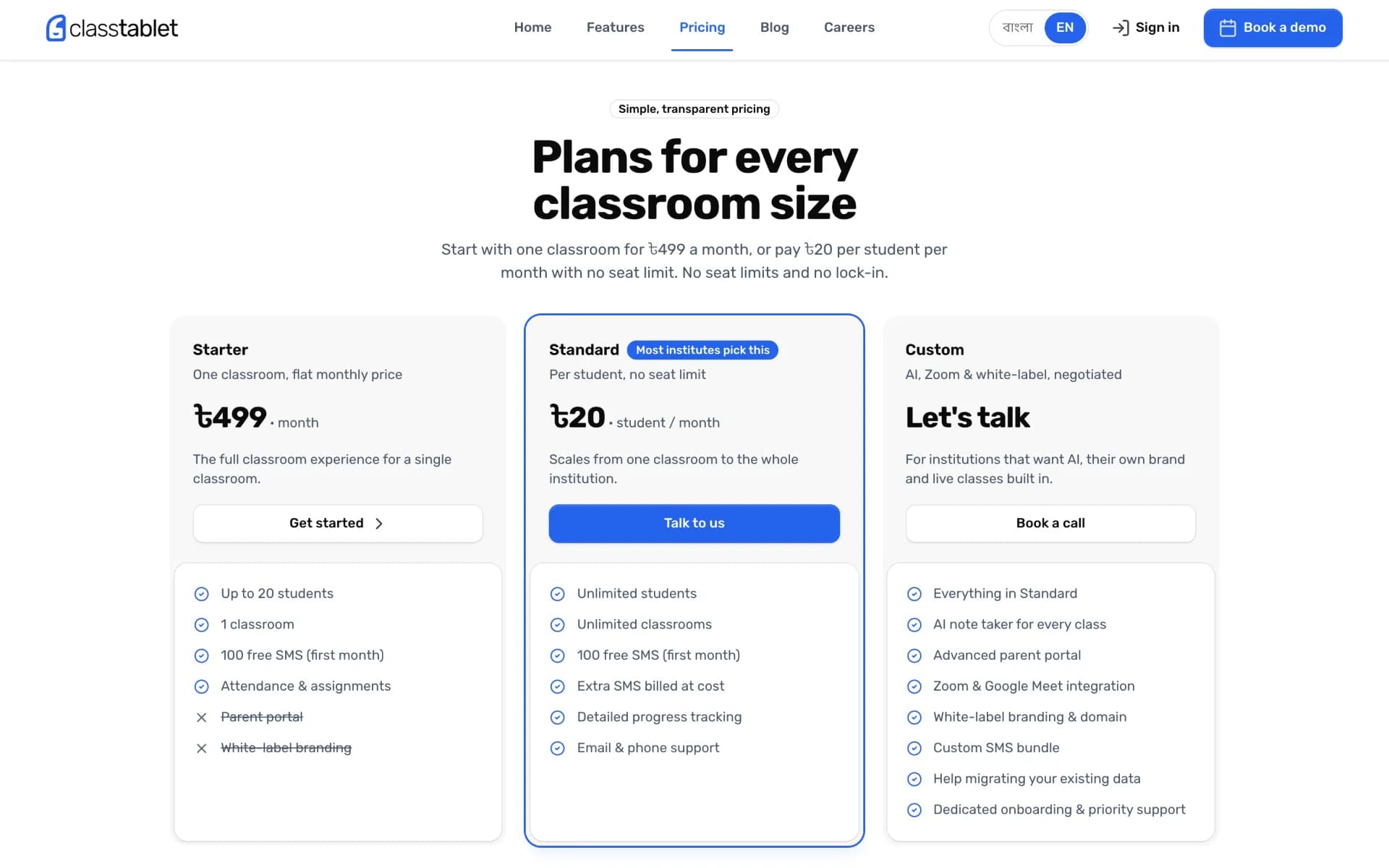
Pricing
Technological Innovations
AI Script Checker
Teachers photograph a handwritten script. The AI reads it against the rubric, proposes a mark for every question and flags anything it is unsure about. Nothing is final until the teacher approves it.
Fee Autopilot
Bills, reminders and overdue notices run on a monthly schedule, so nobody opens a register to chase dues.
Bilingual by Default
Every screen exists in Bangla and English, with a Bangla typeface paired to the Latin one so both read as one brand.
Your Brand, Your Domain
Schools get a white-label portal with their own name, colours, logo and domain, on the same platform underneath.
Smart Nudges
The dashboard surfaces what needs attention today, like unpaid fees or a batch whose attendance is slipping, with the next step one tap away.
Timeline & Roadmap
From the first commit to AI that checks handwritten scripts, here is how ClassTablet came together, and what we are weighing next.
Foundation
First Production Release
Payments & AI Credits
Live Classes & White Label
AI Script Checker Goes Public
Under Consideration
- Automated report card generation
- A public API for third-party integrations
- A full-featured mobile app alongside the PWA
Conclusion
ClassTablet started from a simple observation: adding a batch should grow an institution, not its paperwork. Building it as our own product let us design for the way Bangladeshi coaching centres actually run, from the batch as the core unit to bKash at the counter and Bangla on every screen.
It is also our proof of how we like to build: a shared design system, a monorepo that keeps web, API and docs in step, and AI that saves teachers time without taking decisions away from them. The same foundations now power our other education products, including Notewinger.
Key Success Factors
- Designing around local workflows instead of importing them
- Bengali-first localisation across every route
- AI that drafts while people approve
- One feature taxonomy behind the product, site and docs
- Shipping in small, frequent increments