Case Study
Get Them Back: Building Revisit, Loyalty Cards That Live in the Wallet
How we built a stamp-card platform for Bangladeshi cafés, salons and shops: a QR on the counter, a card in Apple or Google Wallet, and a merchant app fast enough for a busy till
- Client
- Revisit
- Year
- Service
- Product Design, UI/UX Design, Full-Stack Development, Wallet Integration
Executive Summary
Get them back: loyalty that lives where customers already look
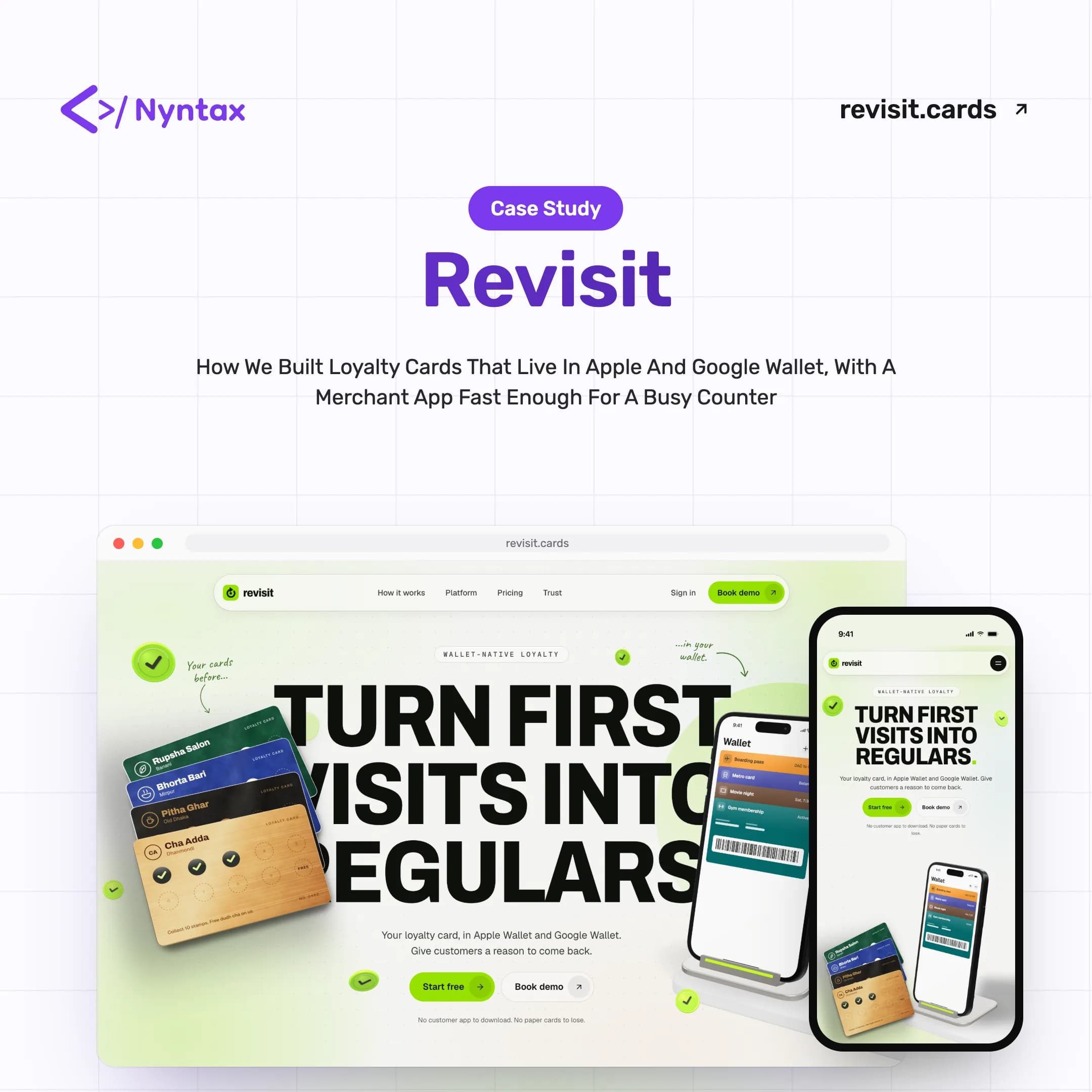
Revisit gives cafés, salons and neighbourhood shops a digital stamp card that lives in Apple Wallet and Google Wallet. A customer scans a QR on the counter, joins with a name and number, and the card is on their phone. The merchant scans it on the next visit, a stamp lands in real time, and the reward is waiting when the card fills up. No customer app, no paper card to lose.
- Started: September 28, 2026
- Core Team: 2 specialists
- Built by: Nyntax
- Market: Bangladesh
- Industry: Retail & Hospitality SaaS
- Status: Live at revisit.cards
What We Brought to the Counter
- Product Strategy
- UX Writing
- UI/UX Design
- Motion Design
- Full-Stack Development
- Apple & Google Wallet Integration
- Market Localisation
- End-to-End Testing
Why Loyalty Cards Stop Working
Most first-time customers never come back, and the usual fixes, paper cards, apps and SMS blasts, all ask too much of someone. Revisit had to ask almost nothing of the customer and very little of the merchant.
- Paper Cards Get Lost
- Stamp cards live in wallets, pockets and bins. Customers lose them, forget them, or never get a second stamp at all.
- Nobody Wants Another App
- Asking a first-time customer to download an app at the till is where most loyalty programmes quietly die.
- A Busy Counter
- Merchants serve a queue while they stamp. Anything that needs reading, typing or precision slows the line down.
- Setup Fatigue
- Loyalty software tends to look like a marketing suite. A shop owner needs a working card in minutes, not a training session.
- SMS Is Expensive and Slow
- Reaching customers by SMS means sender IDs, template approvals and a bill for every message.
- Built for Somewhere Else
- The first draft spoke to a different market. Taka, local payment habits and neighbourhood names had to be designed in, not swapped in.
“A business owner can create a digital loyalty card in a couple of minutes, put a QR on their counter, and start rewarding returning customers immediately.”
Project Overview
Revisit is three services working as one: a marketing site at revisit.cards, a merchant app for the counter, and an API that issues and updates wallet passes. The whole product is designed around a single loop: create a card, get customers in, stamp visits, and redeem rewards.
Revisit runs on written product rules: fewer screens, fewer fields, sensible defaults, and one clear way to finish every task. When two solutions both worked, we picked the one that asked the merchant and the customer to understand the fewest concepts.
Key Stakeholders
- Primary Users: Café, salon and shop owners and their counter staff
- Secondary Users: Customers who carry the card in Apple or Google Wallet
- Platform Team: Admins who onboard merchants and keep the service healthy
Restraint, Engineered
The hard part was not adding features. It was making the few that matter feel instant, at a counter, with a queue.
One Loop, Nothing Else
One Loop, Nothing Else
Every screen had to serve the same loop: create a card, get customers in, stamp visits, redeem rewards. If a feature did not make that loop faster, it waited.
- A Single Core Loop
- One Card per Business
- Rewards That Restart
- Fewest Possible Clicks
A Card That Lives in the Wallet
A Card That Lives in the Wallet
Customers join from a QR with just a name and number. Google Wallet passes update the moment a stamp lands, and Apple Wallet gets a downloadable pass.
- Join From a Counter QR
- Apple & Google Wallet
- Live Stamp Updates
- Consent at Sign-Up
A Scanner Built for the Till
A Scanner Built for the Till
The scanner is the most important screen in the product. Scan the card, see the customer, add the stamp, done, with a name or phone search for when the camera will not cooperate.
- Scan to Stamp
- Name & Phone Search
- Camera Fallbacks
- Large Touch Targets
Nudges Without the SMS Bill
Nudges Without the SMS Bill
Wallet push replaces SMS for bringing customers back: a short note on the lock screen, drafted in English or Banglish, with sensible daily limits and an optional nudge when someone walks past the shop.
- Wallet Push Campaigns
- Lapsed-Customer Targeting
- Location Reminders
- Built-In Send Limits
Technology Behind the Card
A NestJS API issues and updates the wallet passes, a Next.js merchant app runs the counter, and a Next.js marketing site with a three.js hero tells the story.
Frontend & Experience
Next.js
TypeScript
Tailwind CSS
Motion
Three.js
Backend & Data
NestJS
PostgreSQL
Drizzle ORM
Redis & BullMQ
Zod
Wallets & Operations
Apple Wallet
Google Wallet
Bun
Sentry
Design System
One loud colour, Revisit Lime, against quiet paper and ink. Archivo sets the shouting headlines, Geist carries the marketing site, and Roboto keeps the merchant app plain and fast to read at a counter.
Color Palette
Brand Colors
Revisit Lime
Primary
The app mark, stamps, primary buttons and highlights
#9AE600rgb(154, 230, 0)Brand Ink
On Lime
Glyphs and text placed on the lime
#101D03rgb(16, 29, 3)Paper
Surface
Tinted section bands on the marketing site
#F7F8EFrgb(247, 248, 239)Neutral Colors
Ink
Dark Surface
Device frames, dark tiles and the closing call to action
#10130Ergb(16, 19, 14)Graphite
Text Secondary
Descriptions and supporting copy
#636363rgb(99, 99, 99)Neutral 200
Border
Card outlines and dividers
#E5E5E5rgb(229, 229, 229)Typography
Aa
Archivo
Display HeadlinesTURN FIRST VISITS INTO REGULARS.
Aa
Geist
Marketing SiteOne scan. One stamp. Real time.
Aa
Roboto
Merchant AppScan a customer’s card to add a stamp or give a reward.
Revisit in Numbers
Most of the numbers that matter here are small on purpose.
- 0
Card types live: stamp, punch and points
- 0
Wallets supported, Apple and Google
- 0
Apps a customer has to install
- 0
End-to-end test suites across the merchant app and the site
- 0
Screens captured by the end-to-end runs
- 0
Commits in the first eight days, September 28 to October 5
- 0
Shop locations a merchant can register for lock-screen reminders
Counted from the Revisit codebase and product rules as of October 2026.
From Punchd to Revisit
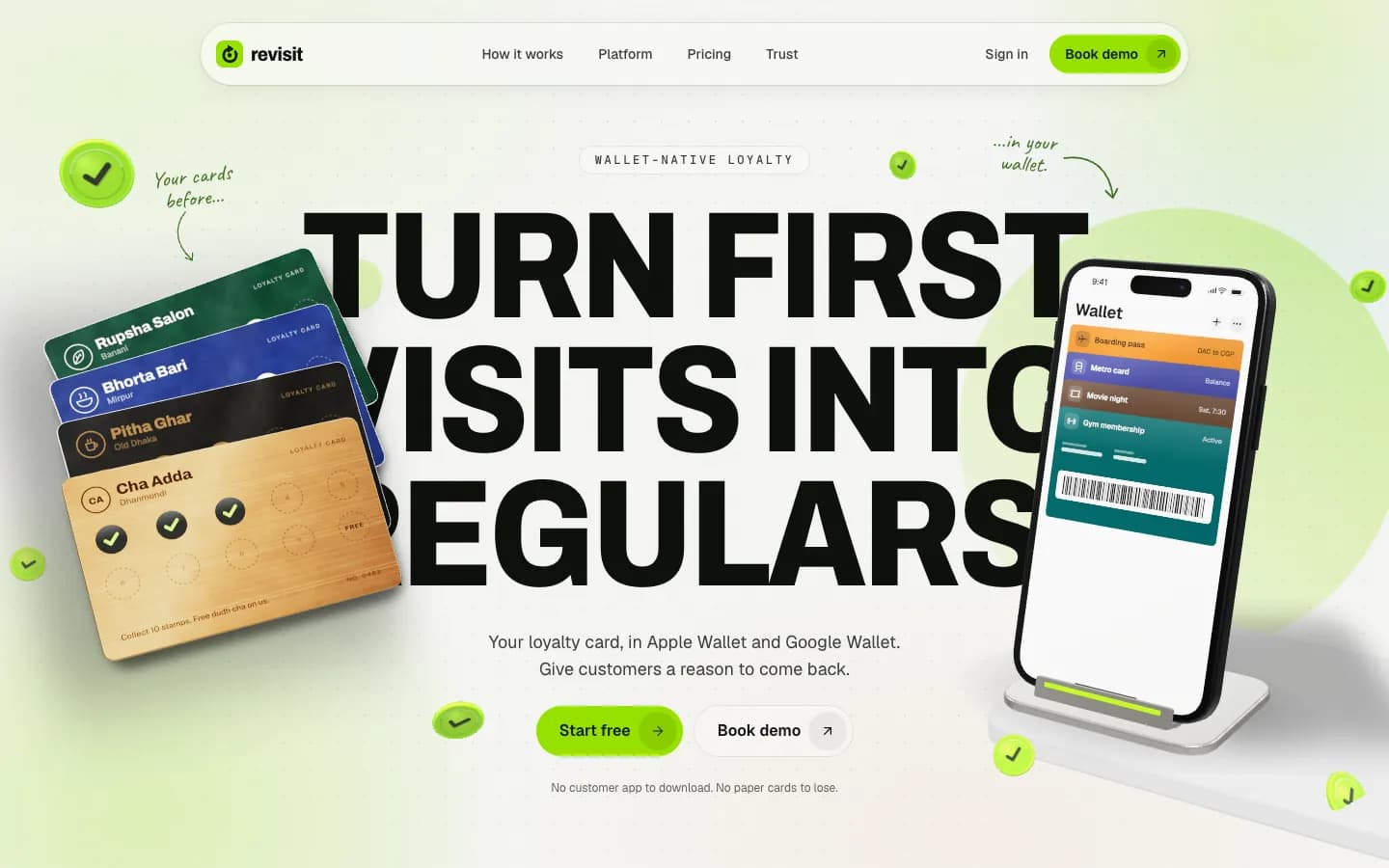
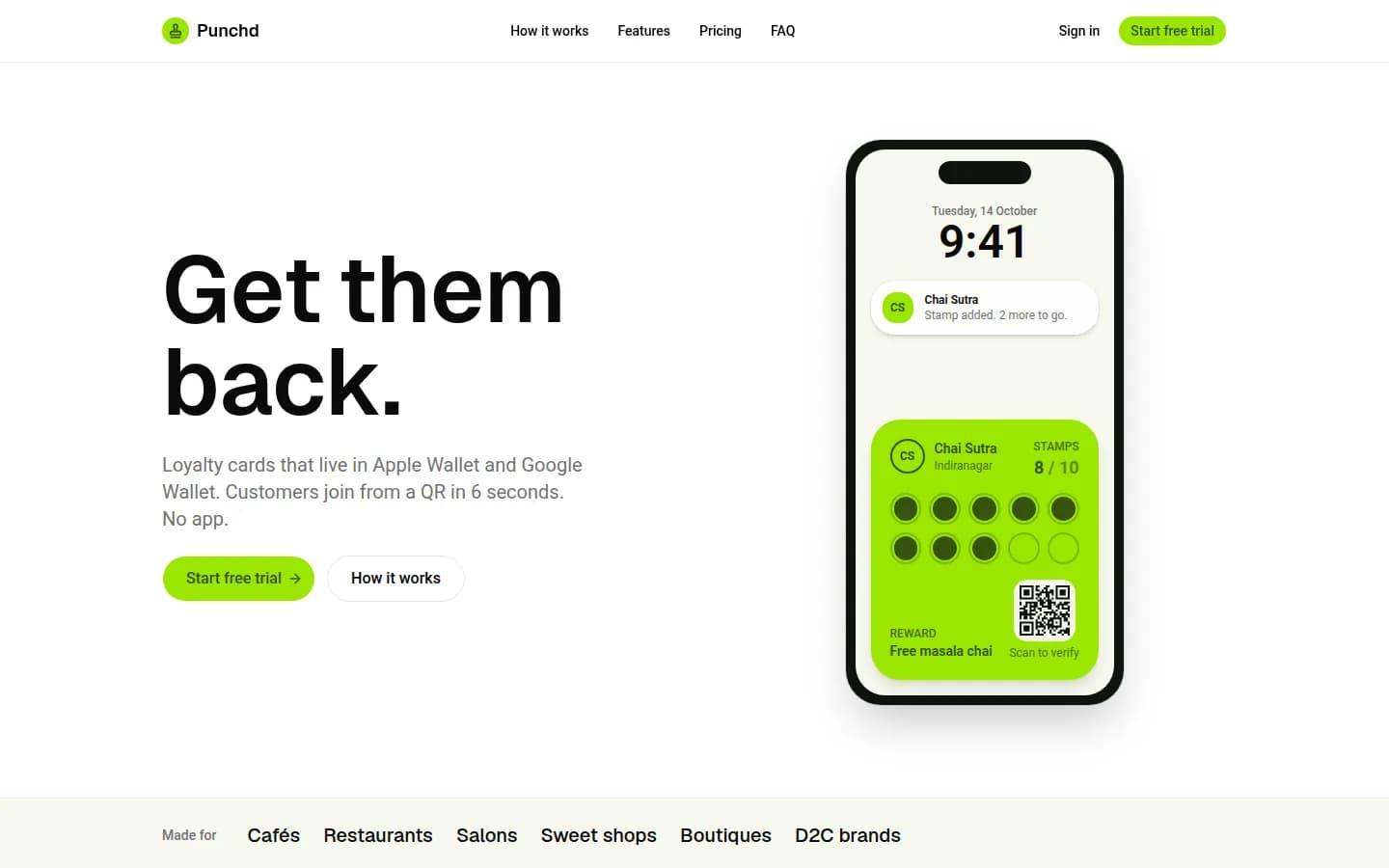
The first draft was built under the working name Punchd for a different market, with Bengaluru neighbourhoods and a GST invoice. A day later it became Revisit, rebuilt for Bangladesh. Drag the slider to compare the first draft with the launch.
Project Screenshots
The marketing site, the merchant app and the customer’s side of the card. Click any image to view it full screen.
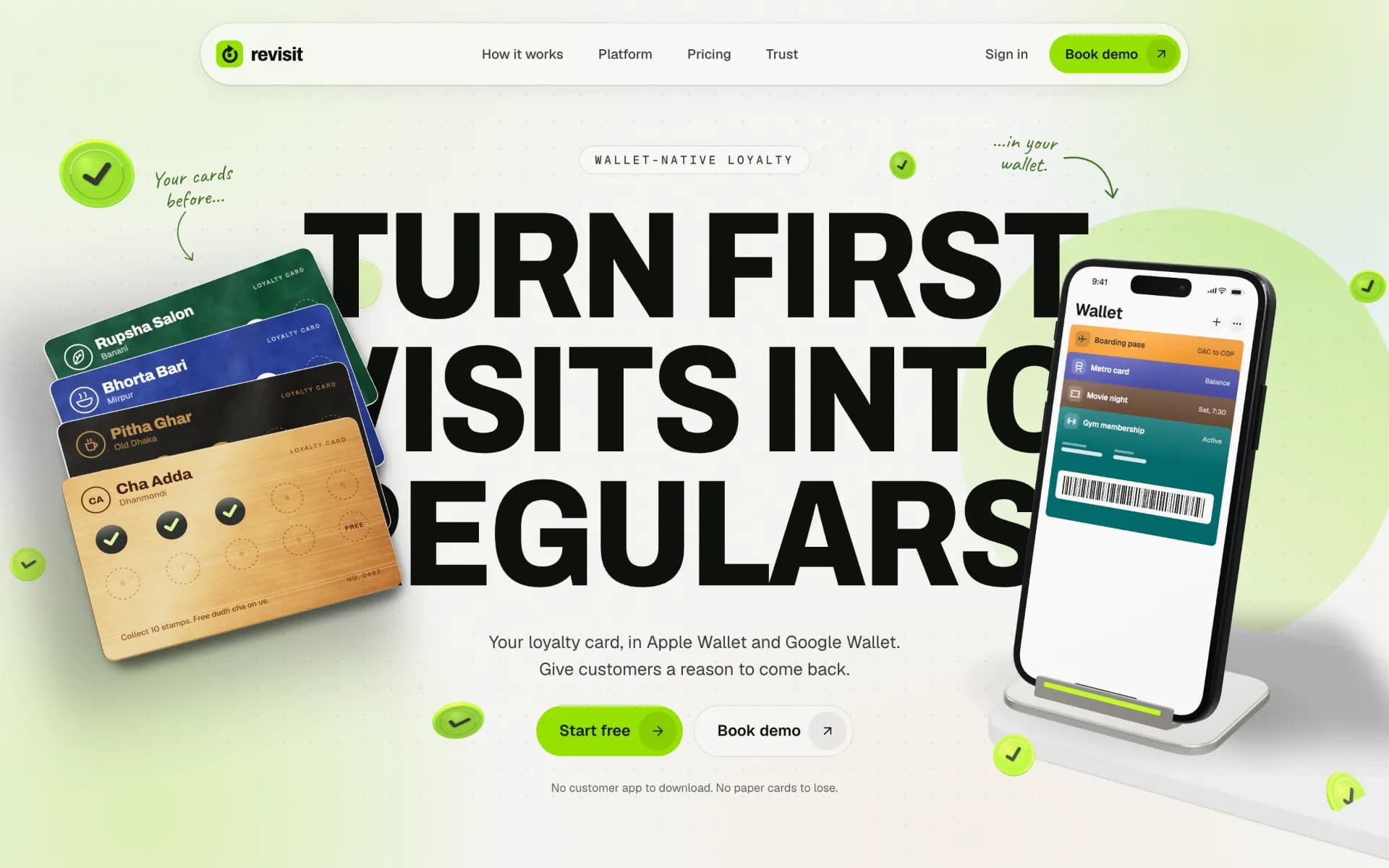
Landing Page
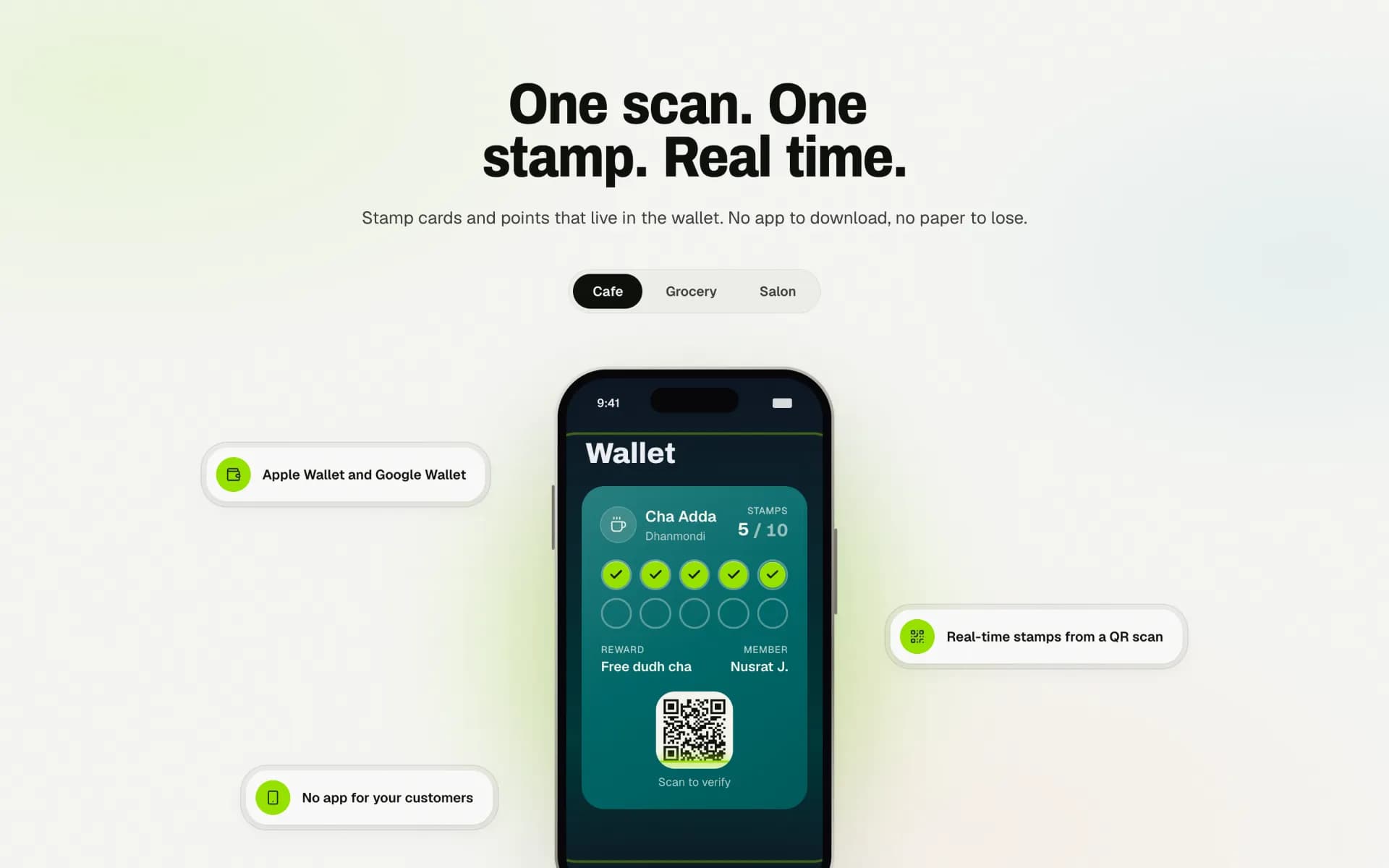
The Wallet Pass
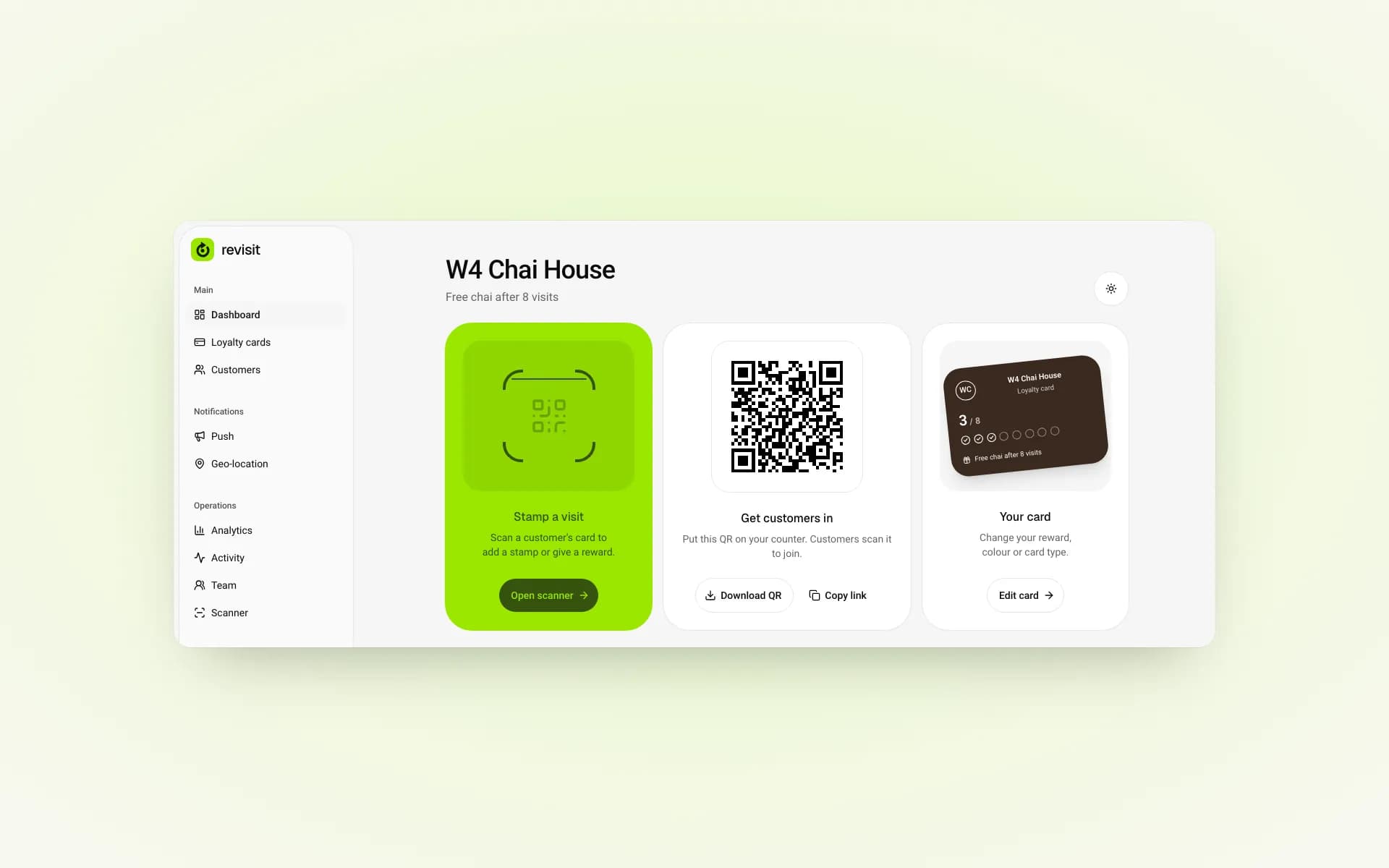
Merchant Dashboard
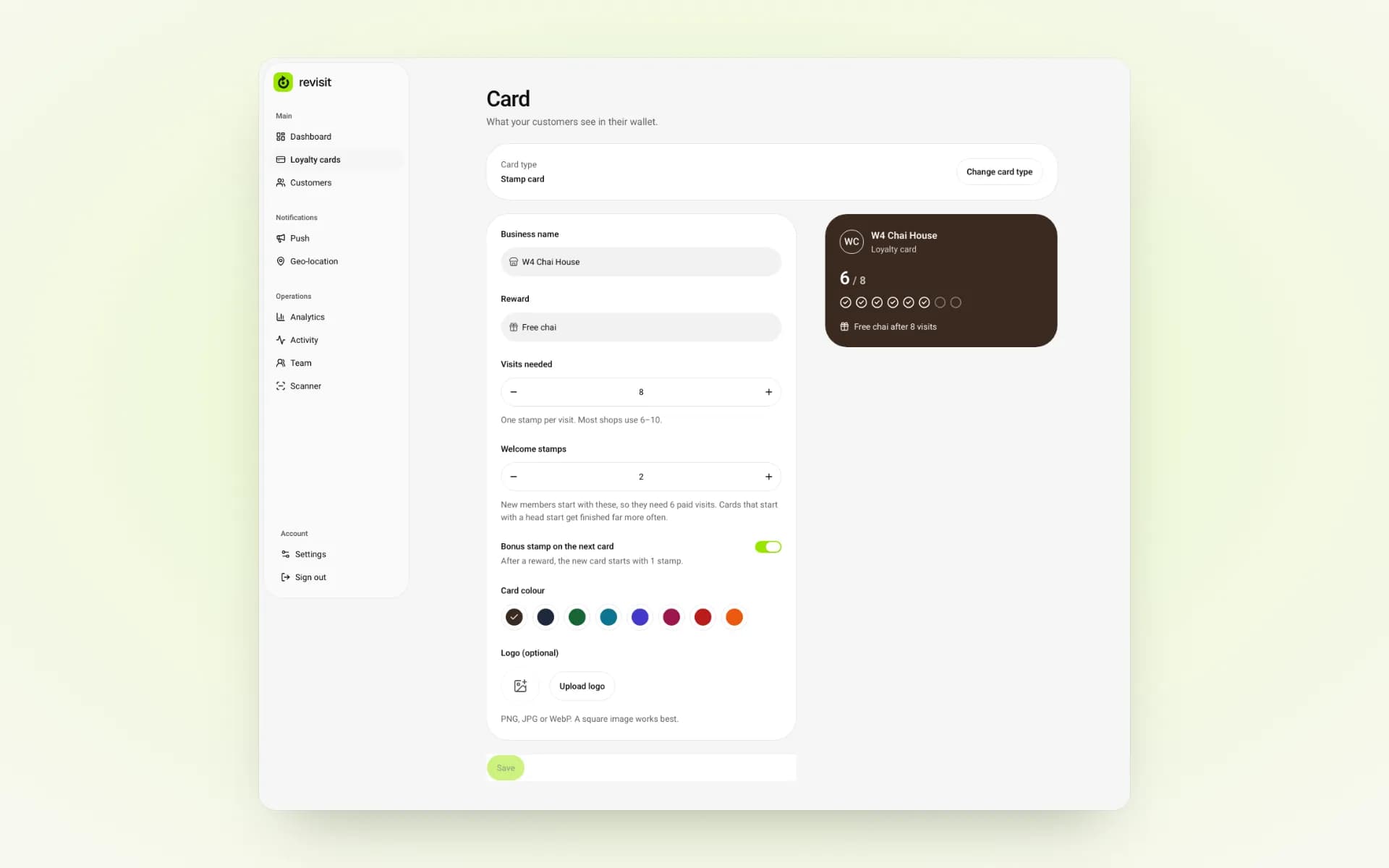
Card Editor
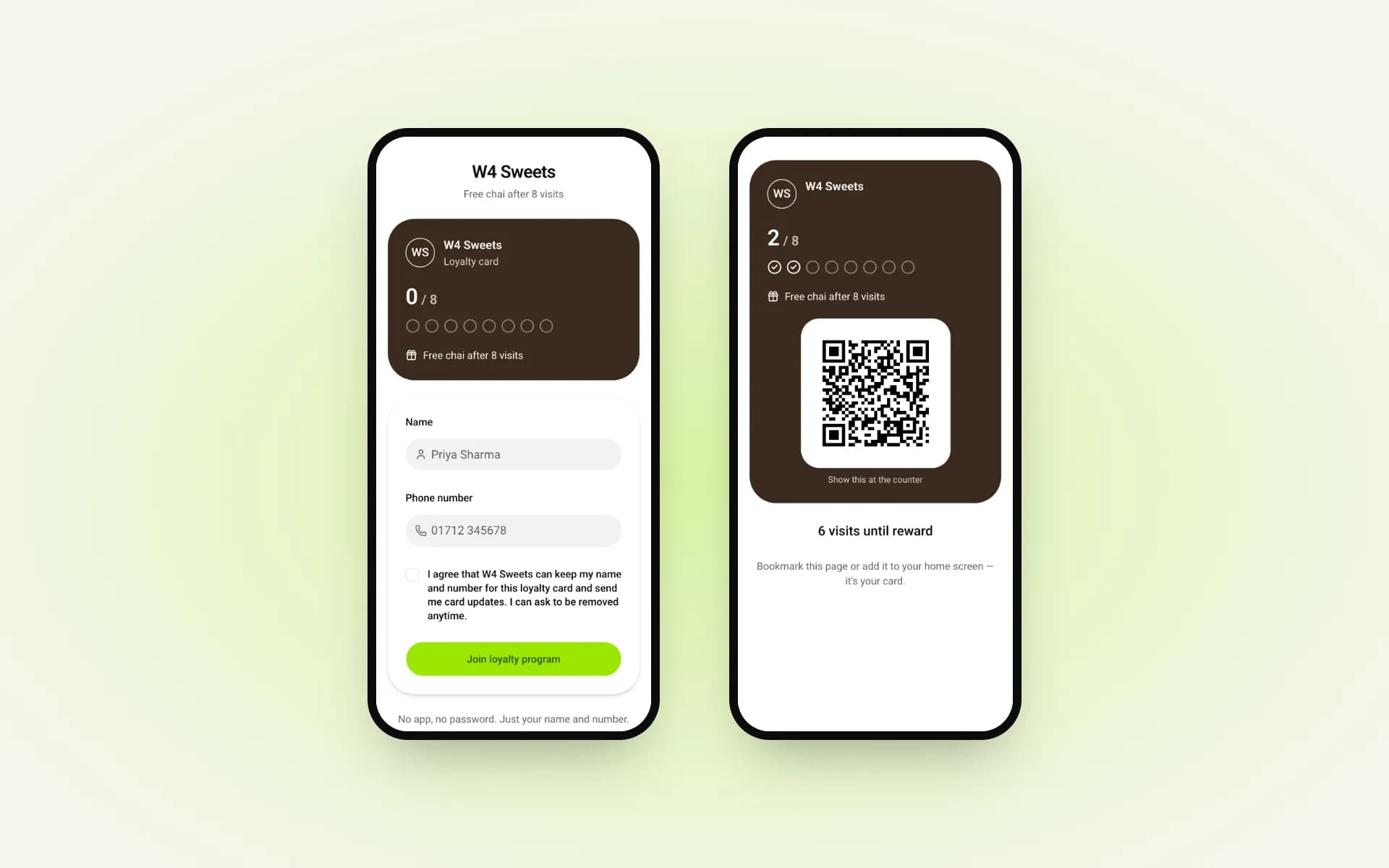
Join & Show at the Counter
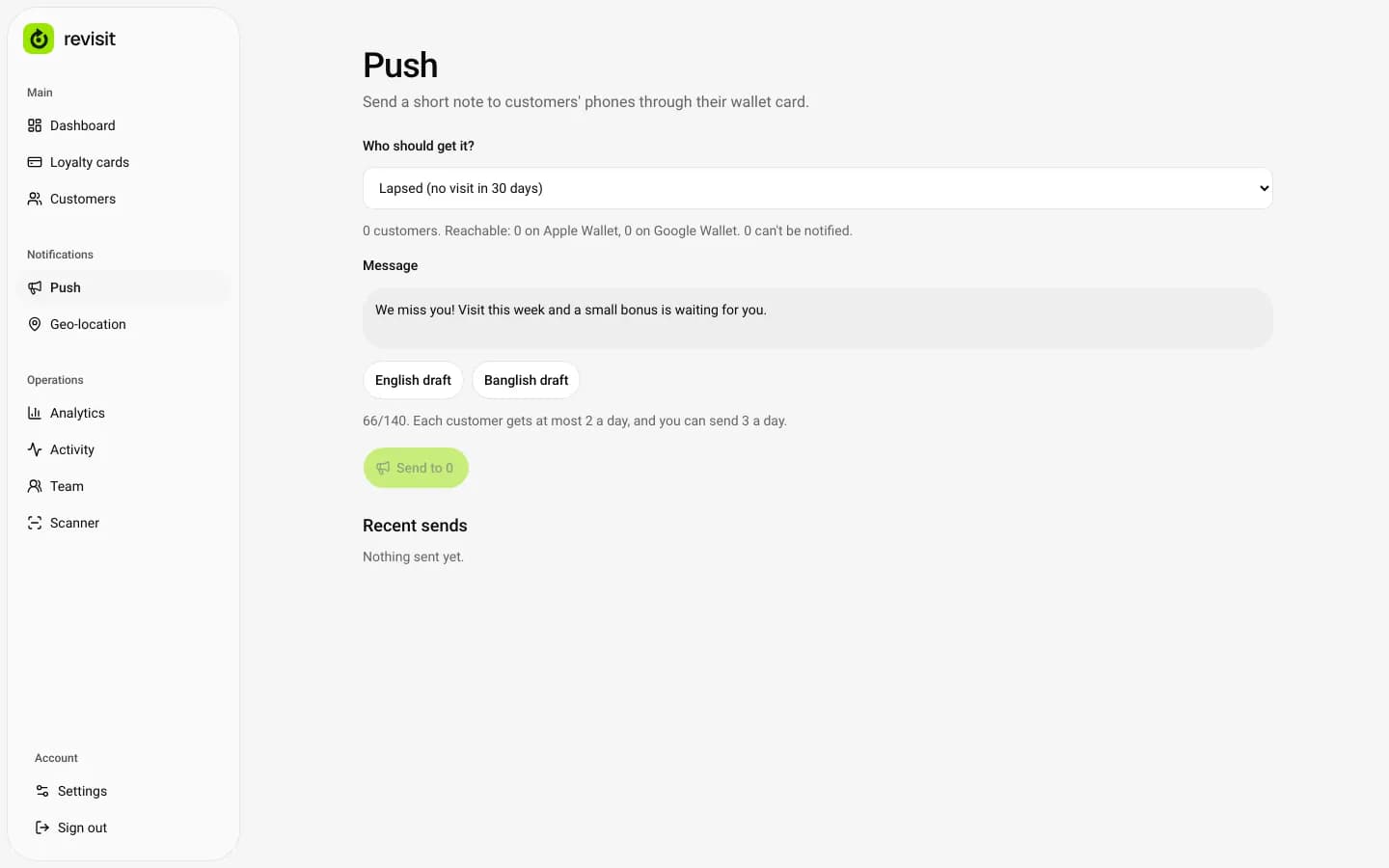
Push Composer
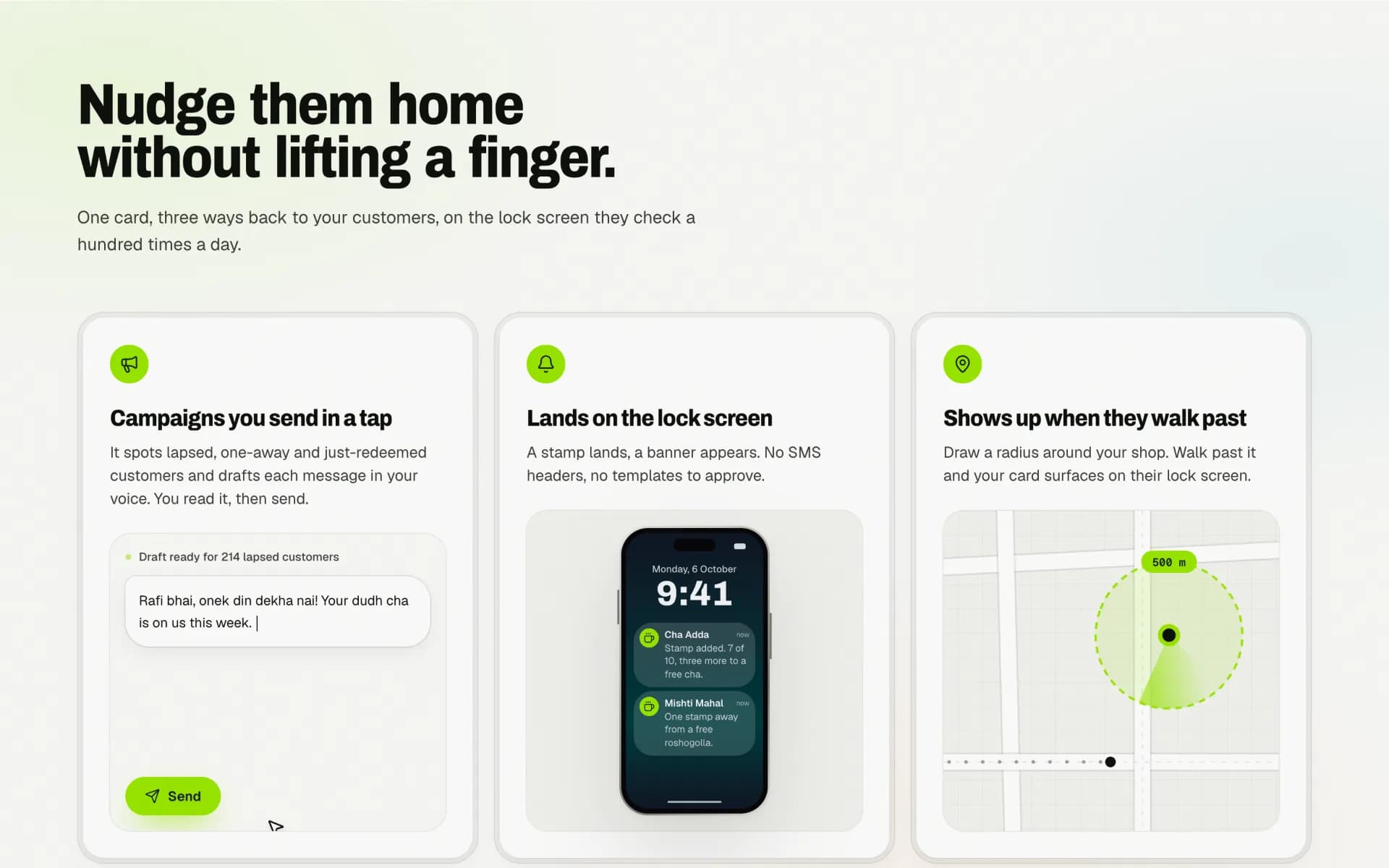
Nudges
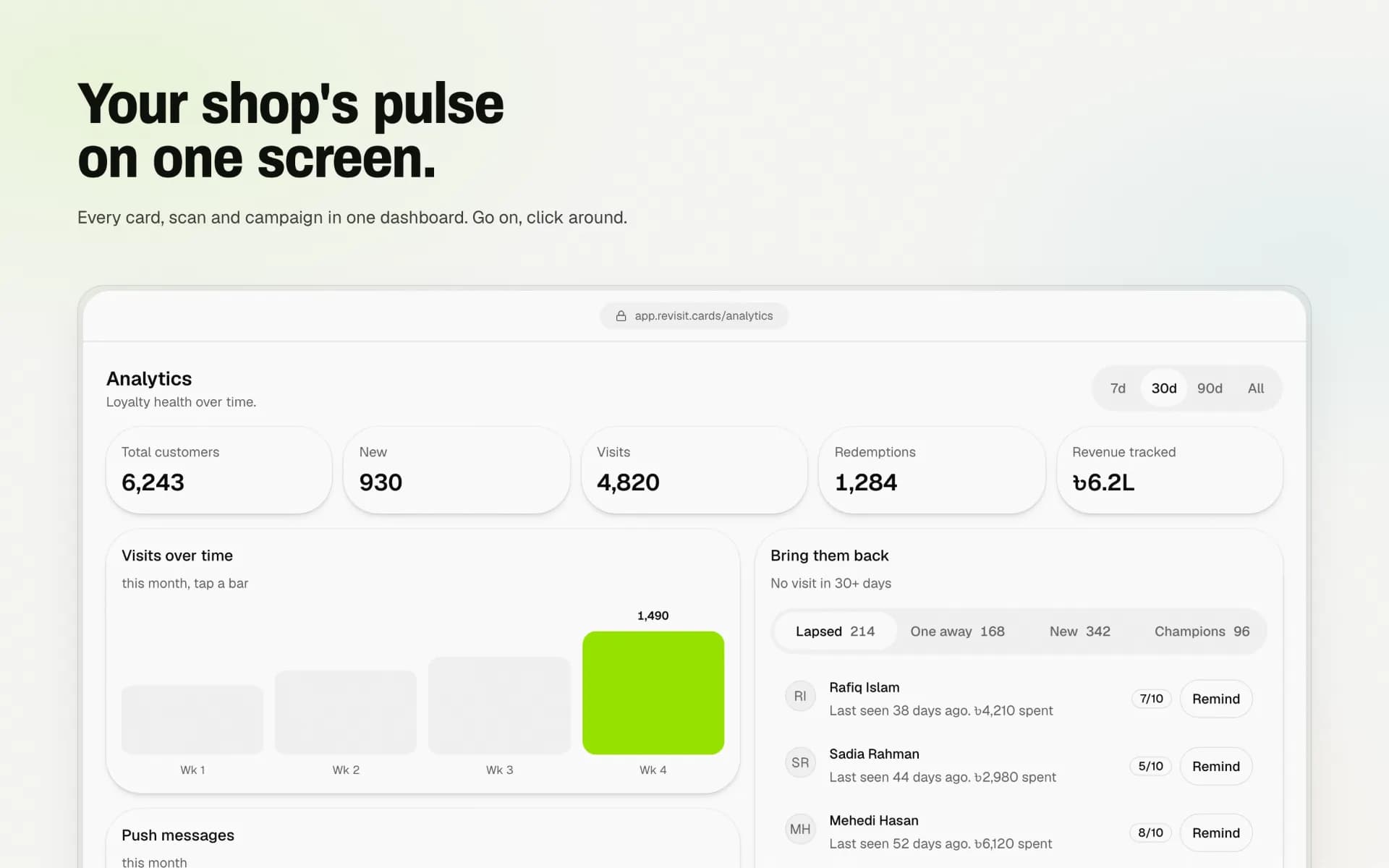
Analytics Demo
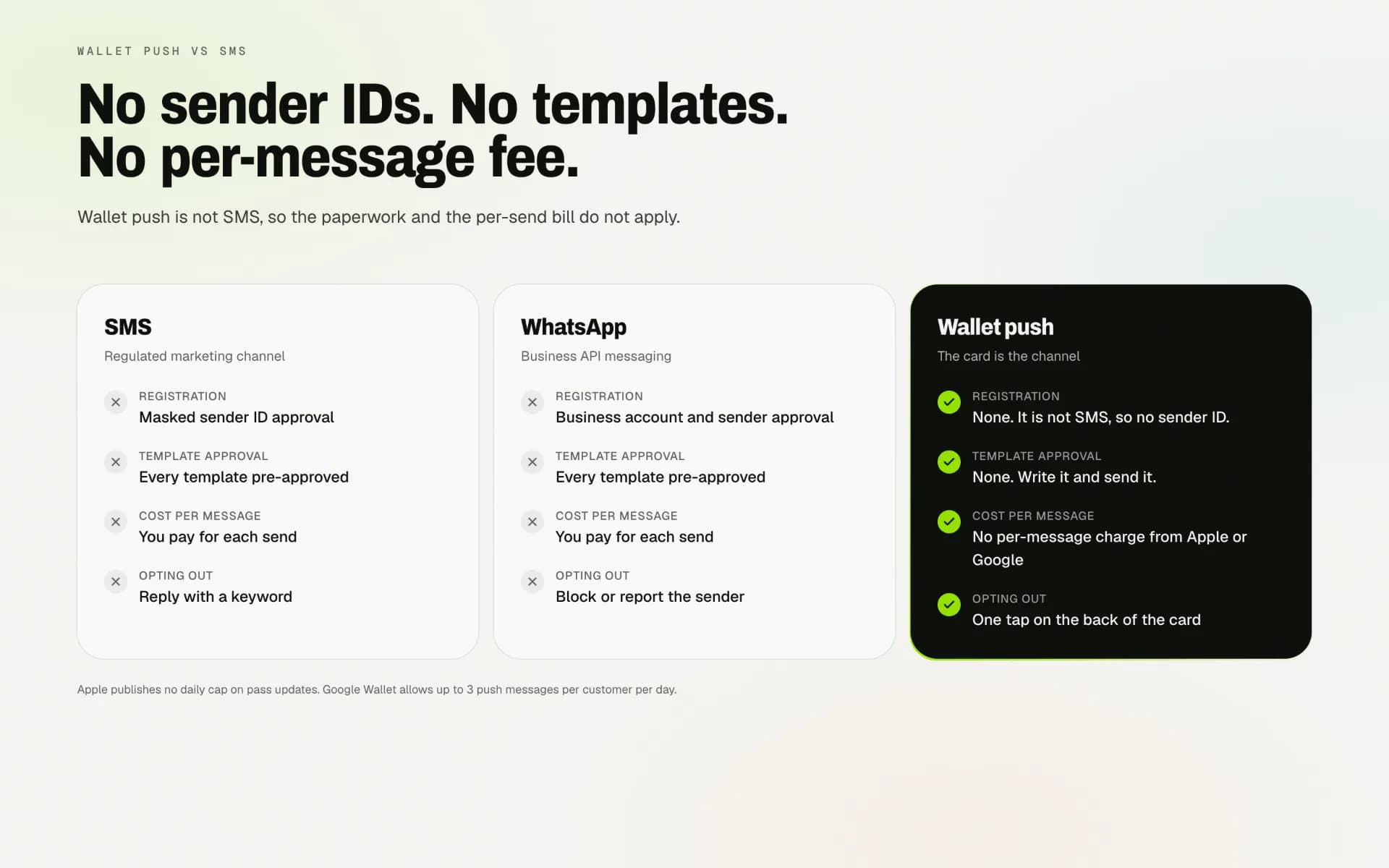
Wallet Push vs SMS
Technological Innovations
One Tap, One Stamp
When the connection drops mid-tap, the cashier taps again. Every action carries a key that the app reuses for a double tap or a retry after an unclear failure. The server locks the customer’s card, spots a key it has already handled and returns the first result instead of stamping twice. A unique index in the database backs it up.
A Pass That Updates Itself
On Google Wallet the pass changes the moment a stamp lands, so the customer sees progress before they reach the door.
Scan, Stamp, Done
At the counter it is scan, confirm, stamp, with a search by name or phone for when the camera cannot read a card.
Push Instead of SMS
The wallet card is the channel, so reminders skip the paperwork and the per-message bill that SMS brings with it.
Graceful by Design
The 3D hero only runs where it can run well. Everyone else gets a still composition built from the real pass component.
Timeline & Roadmap
From the first loop to a rebranded, localised product with wallet passes, push and analytics, here is how Revisit came together, and the card types that come next.
The MVP Loop
Rebrand to Revisit
A Headline From Broken Glass
Analytics for Merchants
Revisit Everywhere
Planned Card Types
- Cashback
- Prepaid wallet
- Tiered VIP
- Subscription
- Points + Tier
Conclusion
Revisit works because it refuses to be a loyalty platform. It is a card, a QR and a scanner, designed so a shop owner can be rewarding regulars the same afternoon they sign up, and so a customer never has to install anything to be one.
Building it taught us to treat restraint as a feature. Every screen answers to one loop, the wallet does the work an app would have done, and the parts that look effortless, from the shattered headline to the stamp landing on a lock screen, are where most of the engineering went.
Key Success Factors
- A single product loop that every feature has to serve
- Wallet passes instead of a customer app
- A scanner designed for a busy counter
- Localising for Bangladesh, not just translating
- End-to-end tests with screenshots of each flow